Media
Media is the library of all the images you've uploaded to your site. When you click an image in the editor and open My library, these are the images you see. Stock photos you pick are copied here too.
Press Media in the sidebar.
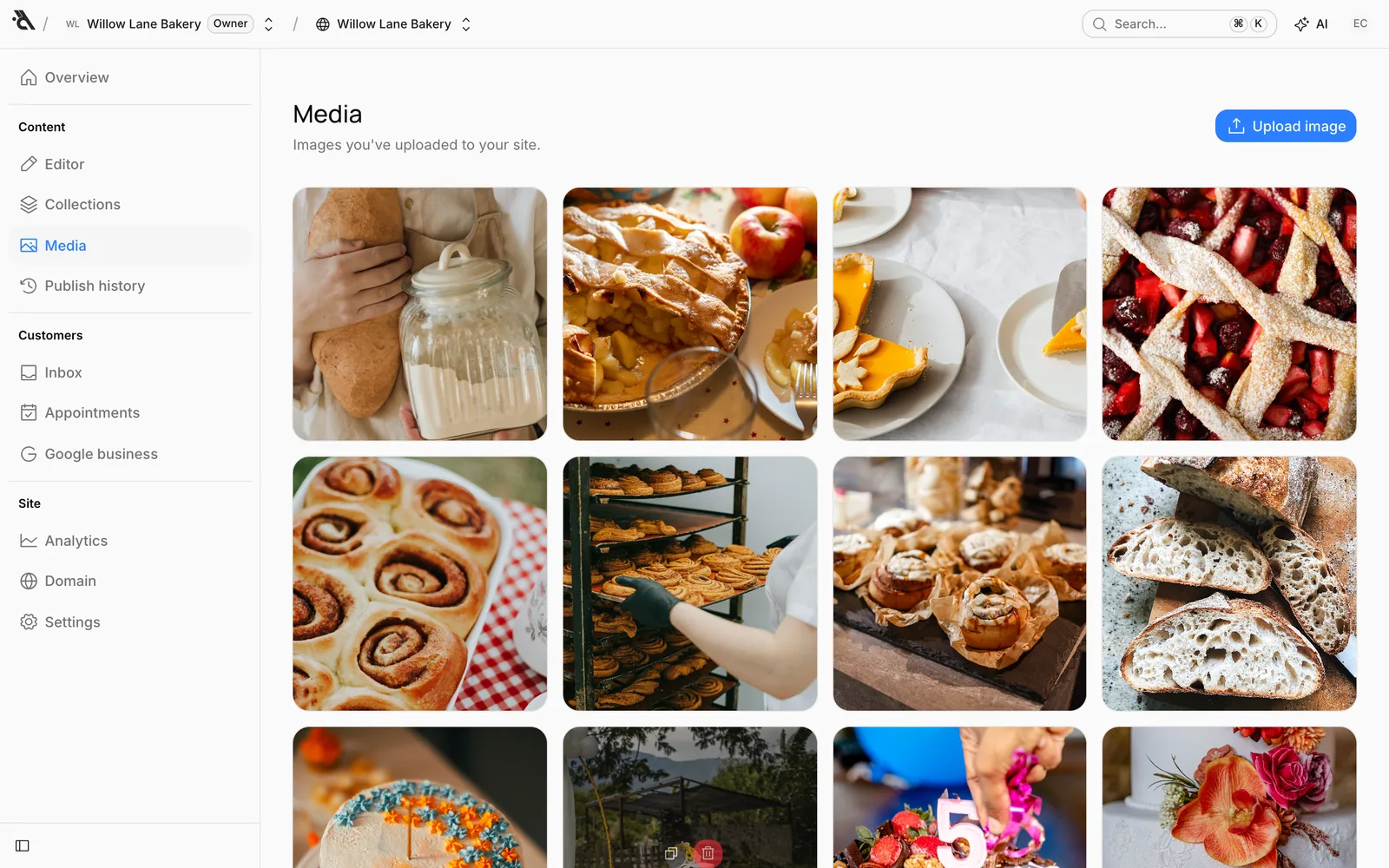
Upload images
Press Upload image in the top right and choose one or more files. The images appear in the grid as they upload. You can upload your photos here in bulk ahead of time and pick them from the library while filling in blocks in the editor.
- A file can be up to 5 MB.
- JPG, PNG, WebP, AVIF and GIF are accepted. For security reasons, SVG isn't.
If you've connected your Google business to the site, a From my business button also appears here. It lets you pick photos you uploaded to your Google business profile and add them to your library.
Copy the URL, delete
When you hover over an image (on a phone, in its corner), two buttons appear:

- Copy URL: Copies the image's web address, for example to use it as a link in a blog post or somewhere else.
- Delete: Deletes the image from the library.
When you replace an image in a block, the old file stays in the library so you can reuse it later. Delete images you don't need from here by hand.